
3 Best Medical Alert Smartwatches for Seniors
 By Kutubuddin, Founder & Senior Care Researcher Updated October 2026
In this guide
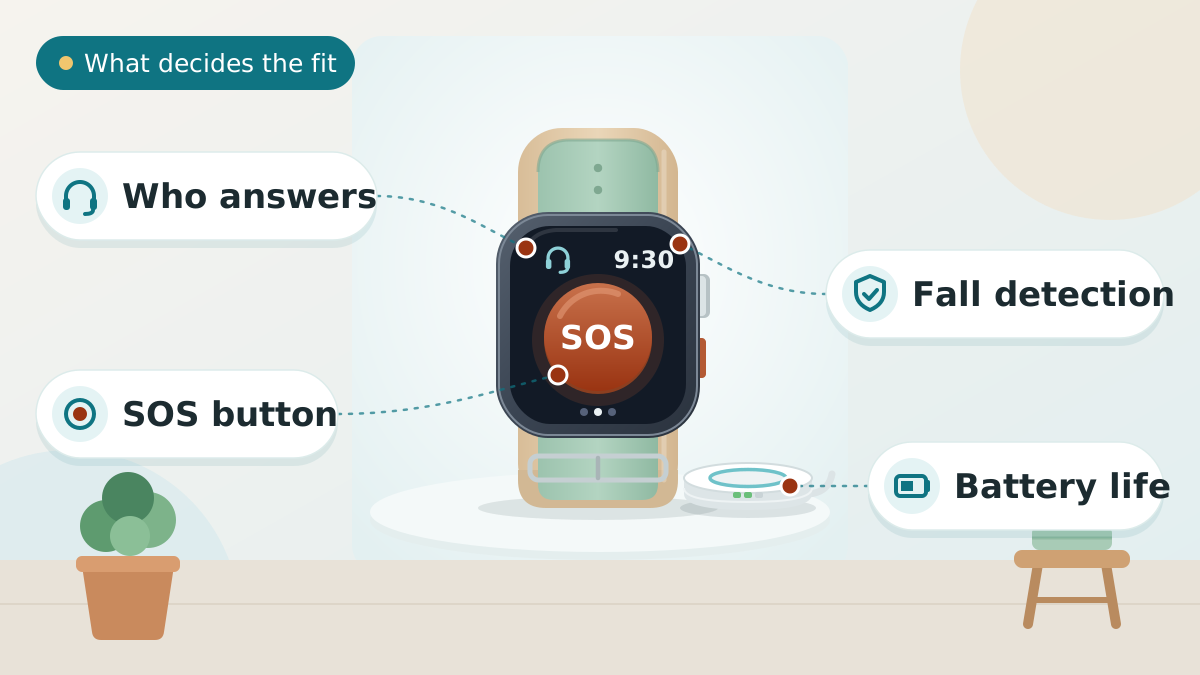
"Smartwatch with fall detection" is really two different products, and picking the wrong one is the most common mistake here. A monitored cellular watch puts an operator on every alert, for a monthly fee. A mainstream smartwatch like Apple Watch includes fall detection and Emergency SOS with no monthly fee, but with no monitoring at all.
Our pick is LifeFone's Safe Watch Active — monitored, established, no equipment fee, the lowest starting price here. Below it: a caregiver-portal option, and Apple Watch for iPhone households that want fall detection without a monthly fee.
Worth knowing first: this category has an unusual number of listings that overstate what they do — see "the pattern worth checking" below.
We may earn a commission when you buy through links on this page. Read our affiliate disclosure.
Our Top Pick
LifeFone Safe Watch Active
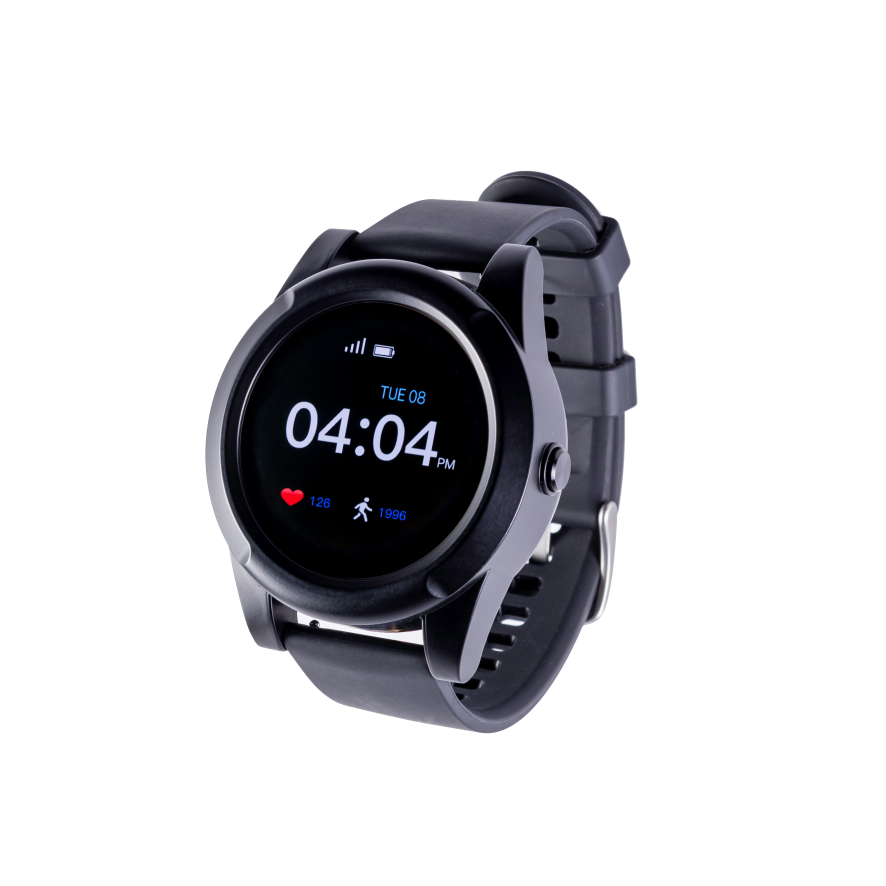
LifeFone is the most established name on this page — a monitored medical alert company operating since 1976 — and the Safe Watch Active is its smartwatch-style device: a touchscreen watch that connects straight to LifeFone's monitoring center over cellular, no phone required nearby.
- No separate equipment fee — the watch itself is not an extra charge
- LifeFone has operated since 1976, with a US-based 24/7 monitoring center
- Starts at $43.95/month on annual billing — the lowest of the two monitored options on this page
- Cancel anytime, no long-term contract
Response
24/7 monitoring center
Coverage
Cellular — nationwide, no phone needed
Starting price
$43.95/month (annual billing)
Equipment fee
None
Battery
About 24 hours
Fall detection
Optional add-on; price confirmed at checkout
Top 3 Picks — Find Your Situation
- LifeFone Safe Watch ActiveBest Overall
Best forFamilies who want an established, monitored provider with no equipment fee and the lowest starting price among the monitored watches here
- No separate equipment fee — the watch itself is not an extra charge
- LifeFone has operated since 1976, with a US-based 24/7 monitoring center
- Starts at $43.95/month on annual billing — the lowest of the two monitored options on this page
Watch out: Shortest battery life in LifeFone's own device lineup — about 24 hours, so it needs charging every night
 Medical Guardian MGMoveBest for Caregiver Features
Best forHouseholds that want medication reminders and an activity check-in app for family, not just an alert button
- Large touchscreen with an optional caregiver portal (MyGuardian) for reminders and check-ins
- IP67 water-resistant — rated safe for the shower
- No long-term contract; a protection plan is available if you want one
Watch out: $199.95 equipment fee — the highest upfront cost of anything on this page
 Apple Watch Series 12 (GPS + Cellular)Best If You Already Have an iPhone
Best forAn iPhone household that wants fall detection and Emergency SOS built in, with nothing extra to pay monthly
- Fall detection and Emergency SOS are included free — no add-on fee, unlike every dedicated device above
- The cellular model calls for help even without the phone nearby
- A genuinely useful everyday watch — not a single-purpose safety device
Watch out: Requires an iPhone to set up and use — not an option for Android households
How we picked
We compared 3 options. We compared smartwatch-style devices marketed specifically for fall detection and emergency alerts — not general fitness trackers with fall detection as a side feature, which we cover separately. We checked every claim against the company's own published pricing and specifications rather than repeating marketing copy, cross-referenced fees and battery life across multiple independent test results where the company itself did not publish them, and checked each brand against the CPSC recall database and, where a scam pattern is common in a product category, against BBB complaint records. We do not test these hands-on — where that matters to a decision, we say so. Several widely-advertised products are not on this list because we could not verify their claims.
Reviewed by Kutubuddin — who researches senior-care products and the real-world needs of caregivers and older adults.
Our picks, reviewed
LifeFone Safe Watch Active
LifeFone is the most established name on this page — a monitored medical alert company operating since 1976 — and the Safe Watch Active is its smartwatch-style device: a touchscreen watch that connects straight to LifeFone's monitoring center over cellular, no phone required nearby. What sets it apart from the other monitored option here is price: no separate equipment fee, and the lowest starting monthly rate of the two. The real trade-off is battery — LifeFone's own numbers put it at about 24 hours, the shortest of everything the company sells, so it has to go on the charger every night to stay useful. We have not tested LifeFone's monitoring service ourselves; our full breakdown of all six LifeFone plans, including the ones that trade the smartwatch look for far longer battery life, is in our LifeFone review.
What we like
- No separate equipment fee — the watch itself is not an extra charge
- LifeFone has operated since 1976, with a US-based 24/7 monitoring center
- Starts at $43.95/month on annual billing — the lowest of the two monitored options on this page
- Cancel anytime, no long-term contract
Keep in mind
- Shortest battery life in LifeFone's own device lineup — about 24 hours, so it needs charging every night
- LifeFone does not publish what its fall-detection add-on costs — confirm the exact price at checkout, not from this page
- Fewer lifestyle extras (no weather app, no caregiver portal) than Medical Guardian's watch
- Response
- 24/7 monitoring center
- Coverage
- Cellular — nationwide, no phone needed
- Starting price
- $43.95/month (annual billing)
- Equipment fee
- None
- Battery
- About 24 hours
- Fall detection
- Optional add-on; price confirmed at checkout
Medical Guardian MGMove
Medical Guardian's MGMove is the most feature-complete watch here: a proper touchscreen, step counting, weather, and — the genuine differentiator — an optional caregiver portal that lets family set reminders and see check-ins, not just receive emergency alerts. That comes at a real cost premium: the highest equipment fee on this page, plus $10 a month if you want fall detection, which several independent testers have rated among the more reliable implementations in this category for catching hard falls specifically. It is the pick for a family that wants the full lifestyle-app experience alongside the safety function, not the cheapest way to get one.
What we like
- Large touchscreen with an optional caregiver portal (MyGuardian) for reminders and check-ins
- IP67 water-resistant — rated safe for the shower
- No long-term contract; a protection plan is available if you want one
- Sold direct by Medical Guardian, with plans and fees listed on its own site
Keep in mind
- $199.95 equipment fee — the highest upfront cost of anything on this page
- Fall detection is a $10/month add-on, not included in the base price
- Battery life is under 24 hours — daily charging, same as the LifeFone watch
- Response
- 24/7 monitoring center
- Coverage
- 4G LTE cellular — nationwide, no phone needed
- Equipment fee
- $199.95 one-time
- Monthly
- From about $38–$40, +$10 for fall detection
- Water resistance
- IP67 (shower-safe, not submersible)
- Caregiver app
- Optional, +$5/month
Apple Watch Series 12 (GPS + Cellular)
If the household already has an iPhone, this is worth stating plainly: Apple Watch gives you real fall detection and an Emergency SOS button at no extra monthly cost at all, which neither of the two dedicated devices above can say. What it does not give you is a monitoring center — a detected fall goes straight to emergency contacts or 911, and there's no operator making sure someone actually responds. It is also a full smartwatch first and a safety device second, so if health and fitness tracking matter as much as the safety angle, our full wearables comparison covers it (and the newer models) in more depth than we will duplicate here.
What we like
- Fall detection and Emergency SOS are included free — no add-on fee, unlike every dedicated device above
- The cellular model calls for help even without the phone nearby
- A genuinely useful everyday watch — not a single-purpose safety device
- Familiar interface for anyone who already uses an iPhone
Keep in mind
- Requires an iPhone to set up and use — not an option for Android households
- No professional monitoring center — a detected fall calls emergency services or contacts directly, with nobody checking in first
- Independent testing has found its fall detection tuned for harder impacts; a slower, softer fall is more likely to go undetected than on some dedicated devices
- Response
- Direct call to 911 or emergency contacts — no monitoring center
- Coverage
- Cellular model works without phone nearby
- Monthly fee
- None for fall detection / SOS
- Requires
- iPhone
- Battery
- About a day — nightly charging
What to look for
Two different products share the name "smartwatch with fall detection"
That single phrase covers two genuinely different products, and buying the wrong one for the situation is the most common mistake we saw researching this page.
- Monitored cellular watches (LifeFone, Medical Guardian) work on their own over a cellular connection and put a trained operator on the line for every alert, for a monthly fee. Right when nobody can be guaranteed to answer a family call.
- Mainstream smartwatches (Apple Watch) include fall detection as one feature among many, at no extra monthly cost, with no monitoring service behind it at all. Right for an already-independent senior who wants a safety net, not a safety system.
There is a third thing sold under the same name that we deliberately do not recommend: cheap standalone watches advertising "no monthly fee" plus their own 911 calling. That is the category to scrutinize hardest — reliable standalone cellular calling costs money somewhere in the chain, and it is where we found the most overstated listings and the weakest complaint records. Verify exactly how any such claim works before trusting it.
The two products we do recommend answer different questions. The mistake is assuming one of them does what only the other actually does.
What automatic fall detection actually catches
Every device on this page can detect a fall automatically, and it is worth knowing what that promise really means before relying on it.
The technology works by reading a sudden, sharp deceleration — the signature of a hard fall. That is also its limitation: independent reviewers have specifically flagged that this kind of sensor is tuned for hard impacts, and a slower, softer fall — someone sliding gradually out of a chair, for instance — is meaningfully more likely to go undetected than a hard fall straight to the floor.
No fall-detection system on the market catches every fall, on any device, from any company. That is precisely why every device here also has a manual SOS button, and why the guidance from every manufacturer we checked is the same: press the button when you can, and treat automatic detection as the backstop for when you can't — not the primary plan.
The pattern worth checking before you buy anything not on this list
This category has more low-quality and overstated listings than most of what we cover, and it is worth naming the pattern plainly rather than leaving you to notice it the hard way.
- A claim of "calls 911, no monthly fee, no contract" deserves real scrutiny. Reliable cellular emergency calling from a standalone wristband generally requires an ongoing data connection, which costs money somewhere in the chain — verify exactly how a specific listing's claim works before trusting it.
- Watch for a large number of near-identical listings from different "brands." Several product lines in this category are the same underlying hardware relisted under different names — not automatically a problem, but worth knowing before you assume you're comparing independent products.
- Check the company's Better Business Bureau profile, not just its Amazon star rating, for anything that requires an ongoing subscription. We found a real, credible complaint pattern for at least one popular-looking product in this category — including a specific complaint that a device sold as having fall detection did not actually have it — that never surfaced in the product's own Amazon reviews.
- A subscription that's difficult or expensive to cancel is a real cost, not a footnote. We found multiple complaints in this category describing cancellation fees and multi-month lock-ins that were not clear at the time of purchase.
None of this means every unfamiliar brand is a problem. It means the ordinary checks — an independent complaint record, a clear cancellation policy, a company that existed before this year — matter more here than in most product categories we cover, precisely because the buyer is often not the person who will end up relying on the device.
If wandering is the real worry, not a fall
Everything on this page is built around detecting a fall or summoning help on request. If the actual concern is someone with dementia leaving home and not being able to find their way back, that is a related but different problem, and geofencing — an alert when someone leaves a set area — is the feature that matters most.
LifeFone and Medical Guardian's monitoring apps include location tracking, but neither of the picks above was chosen specifically for wandering risk. Our GPS trackers for dementia patients roundup covers that need directly, including tamper-resistant options for someone who might remove a watch they don't understand — a real risk a smartwatch alone doesn't solve.
Does Medicare cover any of this?
No. Original Medicare does not classify medical alert devices as durable medical equipment, so it doesn't cover any of the devices on this page, watch-style or otherwise.
Two exceptions are worth a phone call before assuming you're paying the full amount privately: some Medicare Advantage plans include a medical alert benefit as a supplemental perk, and some state Medicaid programs cover devices like these in specific circumstances. Neither is universal.
The battery you'll actually live with
There's a pattern worth knowing before you commit to the smartwatch form factor specifically: every dedicated safety smartwatch we found — including both dedicated devices on this page — needs charging at least once a day. That's the trade-off for the touchscreen and the watch-sized battery.
A pendant-style medical alert device gives up the smartwatch look but typically runs five to eighteen days on a charge, which matters more than any feature on this page for someone who is likely to forget a nightly charging routine. If that's the bigger risk in your situation, our medical alert devices roundup and the no-monthly-fee options are both built around longer-lasting pendants and wristbands.
Frequently asked questions
The automatic detection genuinely works, but not perfectly. It's built to recognize a hard, sudden fall, and independent testing has found it's noticeably better at catching that kind of fall than a slower, softer one — someone sliding out of a chair, for instance. No device on the market, from any company, catches every fall. Every watch worth buying also has a manual SOS button, and manufacturers consistently say to press it when you can rather than relying on automatic detection alone.
A dedicated medical alert smartwatch (like LifeFone's Safe Watch Active or Medical Guardian's MGMove) works over its own cellular connection with no phone required nearby, and connects to a professional monitoring center for a monthly fee. A mainstream smartwatch like Apple Watch includes fall detection as one feature among many, usually needs to be set up with a phone, and has no monitoring center — a detected fall goes straight to 911 or your emergency contacts with nobody checking in.
The most trustworthy no-monthly-fee option is Apple Watch — fall detection and Emergency SOS built in, alerting whoever you've set up rather than a monitoring center (and it needs an iPhone). Standalone watches advertising "calls 911, no monthly fee" exist, but reliable cellular calling costs money somewhere in the chain, so scrutinize any such claim carefully before trusting it — see the buying-warning above.
No, Original Medicare doesn't classify medical alert devices as durable medical equipment, so it doesn't cover any of them, smartwatch-style or otherwise. Some Medicare Advantage plans include a medical alert benefit as a supplemental perk, and some state Medicaid programs cover devices in specific circumstances — both are worth one phone call before ruling out.
It varies by company and isn't always published upfront. Medical Guardian charges $10 a month for fall detection on the MGMove. LifeFone doesn't publish its fall-detection price at all — you have to reach checkout to see it. Apple Watch includes its safety features with no separate fall-detection charge. Always confirm the exact figure directly with the company before buying based on a price quoted anywhere else, including this page.
Look up the company on the Better Business Bureau, not just its Amazon star rating — we found a credible complaint pattern for at least one popular-looking product in this category, including a complaint that a device advertised as having fall detection didn't actually have it, and that never showed up in the product's own Amazon reviews. Be skeptical of any listing claiming to call 911 with no monthly fee and no contract, since reliable standalone cellular calling usually costs money somewhere in the chain. And check the cancellation policy before buying, not after — we found real complaints about high cancellation fees and multi-month lock-ins that weren't clear at purchase.
Not primarily. These devices detect falls and summon help on request; wandering safety depends much more on geofencing (an alert when someone leaves a set area) and, for more advanced dementia, on a device that's genuinely hard to remove. Our GPS trackers for dementia patients roundup is built around that specific problem, including tamper-resistant options a smartwatch doesn't offer.
The final verdict
Start from who's answering, not which watch looks best. If you want a professional monitoring center and don't mind a monthly fee, LifeFone's Safe Watch Active is the least expensive way in, with no equipment fee attached; Medical Guardian's MGMove costs more but adds a genuine caregiver portal on top. And if you'd rather not pay monthly at all, Apple Watch is the most trustworthy route — fall detection and Emergency SOS built in for an iPhone household, alerting whoever you set up, just without anyone monitoring it. Be skeptical of cheaper standalone watches promising the same with no fee; reliable emergency calling costs money somewhere. Whatever you choose, the manual SOS button is still the most reliable part of any of these devices — automatic detection is a backstop, never treat it as the plan. And before buying anything not on this list, the pattern above is worth five minutes of checking; a device that doesn't do what it claims is worse than no device, because it creates false confidence.
Our overall winner is the LifeFone Safe Watch Active — our best overall for most seniors. You can See LifeFone Pricing
