
5 Best Large-Button Phones for Seniors
 By Kutubuddin, Founder & Senior Care Researcher Updated October 2026
In this guide
 Best overallPanasonic KX-TGM450S Amplified Cordless Phone
 Best cell phoneLively Jitterbug Flip Senior Cell Phone
 Best cordedAT&T CL4940 Corded Phone with Answering System
 Best for high-frequency hearing lossClarity E814CC Amplified Corded/Cordless Combo
 Best corded + cordless comboAT&T CL84207 Corded & Cordless Phone
- What to look for
- Frequently asked questions
For most seniors, the Panasonic KX-TGM450S is the best big-button phone of 2026 — an amplified cordless that boosts the caller’s voice up to 50 dB, rings at a window-rattling 112 dB, and can even slow down a fast talker in real time.
We may earn a commission when you buy through links on this page. Read our affiliate disclosure.
Top 5 Picks — Find Your Situation
#1 · Best overall
Panasonic KX-TGM450S Amplified Cordless PhoneBest for: Seniors with mild-to-moderate hearing loss who want the loudest, clearest amplified phone
#2 · Best cell phone
Lively Jitterbug Flip Senior Cell PhoneBest for: Seniors who need a simple phone to carry, ideally with built-in emergency help
#3 · Best corded
AT&T CL4940 Corded Phone with Answering SystemBest for: Seniors who want a dependable corded phone that works in a power cut and never needs charging
#4 · Best for high-frequency hearing loss
Clarity E814CC Amplified Corded/Cordless ComboBest for: Seniors with high-frequency hearing loss who find ordinary amplified phones still unclear
#5 · Best corded + cordless combo
AT&T CL84207 Corded & Cordless PhoneBest for: Households that want a corded base for power cuts plus a cordless handset to carry
But the right phone depends on the need: a phone to carry with built-in emergency help points to the Lively Jitterbug Flip, and power-outage reliability to a corded AT&T. Across every pick we cared about the three things older hands and ears actually need — big high-contrast buttons, a ringer you genuinely can’t miss, and amplification strong enough to matter for real hearing loss.
A closer look at our top pick
Panasonic KX-TGM450S Amplified Cordless Phone
Best for: Seniors with mild-to-moderate hearing loss who want the loudest, clearest amplified phone
- Type
- Amplified cordless
- Voice boost
- Up to 50 dB
- Ringer
- Up to 112 dB
Independently researched · Updated October 2026
For most seniors this is the right first phone because it solves the two things that actually matter at once: it makes the caller easy to hear, and it makes the phone easy to hear ringing. Up to 50 dB of voice amplification with six tone settings targets the frequencies that carry speech, while a 112 dB ringer with flashing LEDs means a call rarely gets missed.
The Slow Talk feature is the quietly brilliant part — it slows a fast talker down in real time and on saved messages, which helps far more than raw volume when words run together. Add an answering machine, power backup, hearing-aid compatibility, and expandability to six handsets, and it covers a whole house rather than one room.
What we love
- Up to 50 dB voice amplification with six tone settings
- Very loud 112 dB ringer plus flashing visual ringer
- Slow Talk slows fast speech in real time
- Hearing-aid compatible, with answering machine and power backup
Things to consider
- Costs more than basic big-button phones
- Cordless handset needs regular charging
Right for you if
- ✓You or your parent has real, ongoing hearing loss — not just an occasional struggle
- ✓A loud ringer that carries across the house matters
- ✓You want one dependable system you can add handsets to
Maybe skip it if
- !You mainly need a phone to carry out of the house (get the Jitterbug)
- !You’re on the tightest budget and don’t need maximum amplification
- !You never want to charge a handset (get a corded phone)
What owners consistently report
Common praise
- +Families of hard-of-hearing parents say it finally let them hear calls clearly
- +The Slow Talk feature gets singled out as genuinely useful
- +The ringer is loud enough that calls stop getting missed
Common gripes
- –The handset, like any cordless, needs to be charged
- –It costs more than a basic big-button phone
- –There is a short learning curve to the tone and boost settings
Getting started
- →Set the voice boost and pick the tone setting that sounds clearest before daily use
- →Program a few speed dials and add large-print name labels
- →Keep the handset on its charger between calls so it’s always ready
How it compares
The closest amplified alternative is the Clarity E814CC. Instead of maximizing raw volume, Clarity tunes its amplification to the high frequencies that carry consonant sounds — the ones age-related hearing loss erodes first — so it can make speech clearer for someone who finds ordinary amplified phones loud but still muffled. Choose the Panasonic for the loudest, most feature-complete all-rounder (Slow Talk, 112 dB ringer, expandable to a whole house); choose the Clarity when clarity of words, not sheer loudness, is the real problem.
How we picked
We compared 5 options. Our picks are based on manufacturer specifications, accessibility and hearing-health guidance, and verified owner reviews — not independent lab testing. We prioritized what matters for older eyes, ears, and hands: button size and contrast, ringer loudness and handset amplification (measured in dB), hearing-aid compatibility, how simple the phone is to dial and answer, and useful extras like an answering machine, photo speed-dial, or an emergency button. We deliberately excluded any phone built on 3G — those networks have been shut down in the US, so a 3G phone simply won’t connect. Match the amplification and button layout to your parent’s actual vision and hearing, and keep a corded phone somewhere in the house as an emergency backup.
Reviewed by Kutubuddin — who researches senior-care products and the real-world needs of caregivers and older adults.
Other picks, reviewed
Lively Jitterbug Flip Senior Cell Phone
The simplest mobile phone for staying reachable away from home. It’s a flip phone with oversized buttons, a big readable screen, and a plain list menu — no apps to get lost in. The standout is the built-in Urgent Response button, which connects to a 24/7 agent who can send help and call family, so it doubles as a basic medical-alert device. The trade-off: it runs on Lively’s own service plan rather than your existing carrier, so factor the monthly cost in.
What we like
- Big buttons, big screen, simple list menu — no apps
- Built-in 24/7 Urgent Response acts like a medical alert
- Loud speakerphone and long battery life
- Familiar flip design that is easy to answer and end
Keep in mind
- Locked to Lively’s service plan (monthly fee)
- Not for anyone wanting smartphone apps
- Type
- Mobile flip phone
- Emergency
- Urgent Response button
- Plan
- Requires Lively service
AT&T CL4940 Corded Phone with Answering System
The set-it-and-forget-it choice. A corded phone never needs charging and keeps working in a power outage, which is exactly what you want from an emergency line. The CL4940 pairs that reliability with extra-large buttons, a big tilt-up display, an extra-loud ringer, and a one-touch Audio Assist boost, plus a built-in answering machine and speakerphone. For a senior who stays mostly in one room and just needs a dependable, loud, easy-to-dial phone, this is all the phone they need.
What we like
- Corded — works during power outages, never needs charging
- Extra-large buttons and a big tilt-up display
- Extra-loud ringer and one-touch Audio Assist
- Answering machine and speakerphone built in
Keep in mind
- Tethered by the cord — no walking around the house
- Single corded handset only
- Type
- Corded
- Display
- Large tilt-up
- Extras
- Answering machine
Clarity E814CC Amplified Corded/Cordless Combo
Worth a look when general volume hasn’t been enough. Age-related hearing loss usually hits high frequencies first, and Clarity tunes its amplification to lift exactly those consonant sounds that make words intelligible, rather than just making everything louder. The E814CC is a corded-and-cordless combo with big lighted buttons and talking caller ID that announces who’s calling. If a parent keeps saying “I can hear it ringing but I can’t make out the words,” this is the type of phone to try.
What we like
- Amplification engineered for high-frequency (age-related) loss
- Corded plus cordless combo with big lighted buttons
- Talking caller ID announces who is calling
- Built specifically around speech clarity, not just volume
Keep in mind
- Overkill if hearing loss is only mild
- Fewer extras than the feature-packed Panasonic
- Type
- Corded + cordless combo
- Amplification
- Tuned for high frequencies
- Extras
- Talking caller ID
AT&T CL84207 Corded & Cordless Phone
The pick for a home that wants both a corded base and a cordless handset in one box. The corded base has a line-power mode, so it keeps working in a power cut when every cordless phone in the house has gone dead, while the bundled cordless handset lets a senior carry a phone to another room. The buttons and display are large and high-contrast, it is hearing-aid compatible, and it adds the things that actually take stress out of a senior landline: a built-in answering machine, a smart call blocker for nuisance calls, and a caller ID announcer that says the caller name out loud, so there is no squinting at a display before deciding whether to pick up.
What we like
- Corded base plus a bundled cordless handset
- Line-power mode keeps the corded base alive in a power cut
- Caller ID announcer says who is calling, out loud
- Smart call blocker cuts nuisance calls
Keep in mind
- Not an amplified phone — if loudness is the main problem, the amplified picks above are the better buy
- Cordless handset still needs charging
- Fewer tone-shaping options than the Panasonic
- Type
- Corded base + cordless handset
- Power cut
- Line-power mode on the corded base
- Cordless
- DECT 6.0
- Extras
- Answering machine, call blocking, caller ID announcer
What to look for
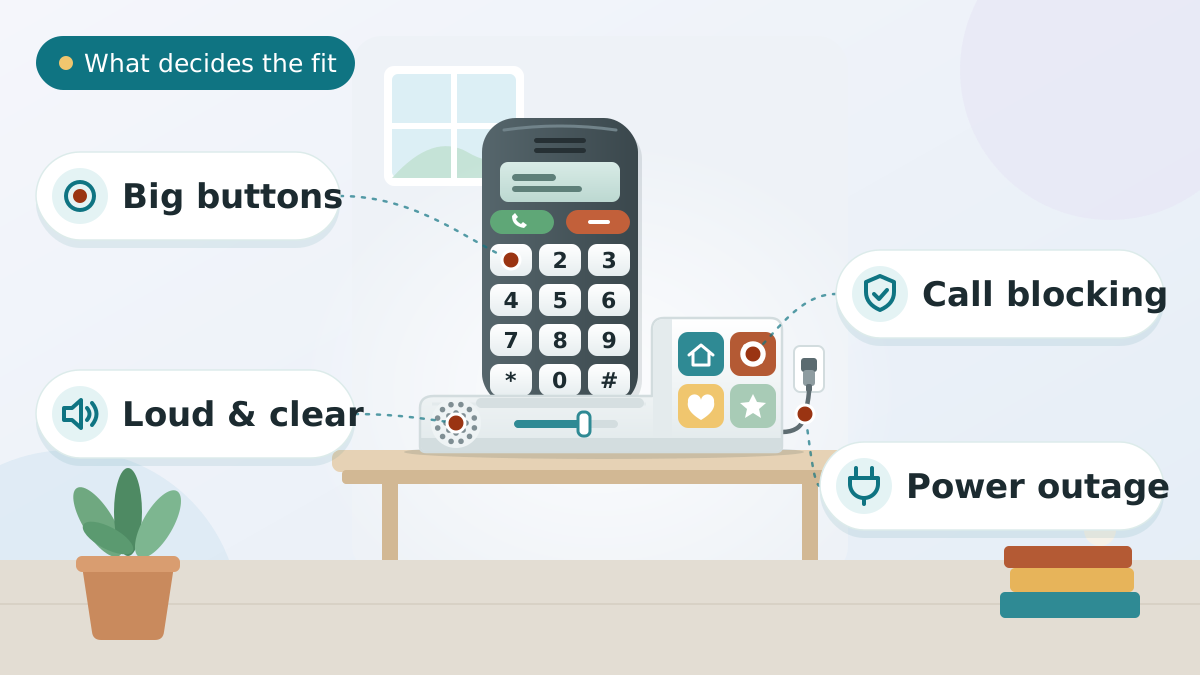
Match the phone to the actual problem
There isn’t one “best” big-button phone — there’s the best one for a specific barrier:
- Hearing loss: an amplified phone with a high dB voice boost and tone control (Panasonic KX-TGM450S, Clarity E814CC).
- Vision loss: the biggest, highest-contrast buttons and the largest backlit display you can find.
- Memory loss or early dementia: look for photo speed-dial or big one-touch keys, so calling someone is a single press, and keep the menu as simple as possible.
- Leaving the house, or fall risk: a simple cell phone with an emergency button (Lively Jitterbug Flip).
Most homes end up wanting two: a loud, reliable phone for the house and a simple cell phone to carry.
Amplification is more than just “louder”
A phone marketed as “amplified” should tell you two numbers: how many decibels (dB) it can boost the caller’s voice, and how loud the ringer gets. A 40–50 dB voice boost is meaningful for real hearing loss; a 90–112 dB ringer is loud enough to hear across the house. Standard phone ringers are often much quieter than amplified models, which is why they get missed.
Volume isn’t the whole story, though. Age-related hearing loss usually starts in the high frequencies, so tone control and speech-clarity tuning often help more than raw loudness. If your parent uses hearing aids, look for a phone rated hearing-aid compatible (an M/T rating, or the TIA-1083 standard) so you don’t get buzzing or feedback.
Corded, cordless, or cell?
- Corded: never needs charging and keeps working in a power outage — a dependable emergency backup, but it stays in one spot.
- Cordless: carry it around the house, but it has to be charged, which is a real issue if your parent forgets.
- Combo (corded base + cordless handset): you get both, which is why the Clarity and Swissvoice picks are combos.
- Cell: the only option for leaving home, and the way to get a built-in emergency button.
If your loved one forgets to charge things, lean corded for the main phone. If they’re still out and about, add a simple cell phone.
Do not buy a 3G phone in 2026
This is the one mistake that quietly wastes money. The major US carriers shut down their 3G networks back in 2022, so a 3G phone — and plenty of older “senior” cell phones still listed online are 3G — simply will not connect, no matter how good the buttons are.
Before buying any cell phone, confirm it supports 4G LTE / VoLTE, or buy one that comes with its own current service like the Lively Jitterbug Flip. Home phones (corded and cordless) aren’t affected — this only applies to cellular.
Make it easy to actually use
The best phone is the one your parent will actually pick up. Program one or two speed-dial buttons with the people they call most, add photos or large-print name labels, and keep a big-print card of key numbers next to the phone. Teach just the basics first — answering and calling one person — before introducing anything else.
Tips to Choose Large Button Phones
Short on time? Here are the key points to weigh before choosing, each covered in detail above:
- Match the phone to the actual problem
- Amplification is more than just “louder”
- Corded, cordless, or cell?
- Do not buy a 3G phone in 2026
- Make it easy to actually use
Comparing options? See our guides to Best Video Calling Devices for the Elderly and Best Hearing Aids for the Elderly.
A big-button phone can double as a safety device
For a senior who isn’t ready for a wearable pendant, a phone with an emergency button is an easy first step. The Lively Jitterbug Flip’s Urgent Response connects to a 24/7 agent who can dispatch help and call family — effectively a basic medical alert in a phone they already carry.
It isn’t a full replacement for a dedicated system with fall detection, but it covers the most important case: getting help with one button press. If falls are the real worry, compare it against the options in our best medical alert devices for seniors guide.
Setting it up so a parent will actually use it
A great phone fails if it’s confusing on day one. Put the most-called people on photo or large-print speed-dial, label the handset, and write a simple step-by-step card for answering and dialing. Practice together a few times over several days rather than explaining everything at once.
For vision-specific tweaks — contrast, font size, and lighting near the phone — our guide on setting up a phone for a senior with low vision and our hearing and vision support at home checklist walk through the details.
Frequently asked questions
A corded big-button phone like the AT&T CL4940 is usually easiest at home — no charging, no menus, and it works in a power outage. For a phone to carry, the Lively Jitterbug Flip is the simplest, with large buttons and a plain list menu instead of apps. The key is matching the phone to your loved one’s vision, hearing, and memory — simpler is almost always better.
For mild hearing loss, an 80–90 dB ringer is usually enough; for moderate-to-severe loss, look for 95–112 dB. Standard phone ringers are often much quieter than amplified models, which is why they get missed. The Panasonic KX-TGM450S reaches up to 112 dB and adds a flashing visual ringer, which helps when sound alone isn’t enough.
Quality amplified phones usually are — look for an M/T rating or the TIA-1083 standard, which means the phone won’t buzz or interfere with a hearing aid’s telecoil. The Panasonic KX-TGM450S, for one, is hearing-aid compatible (TIA-1083). Always check the spec sheet if your parent wears hearing aids.
Some do. The Lively Jitterbug Flip has an Urgent Response button that connects to a trained agent 24/7, who can send help and call family — effectively a basic medical alert. Some home phones can also be programmed to dial a family member from a single speed-dial button. For fall detection and a wearable pendant, you’d want a dedicated medical alert system.
Look for photo speed-dial, where a photo of each person sits on a button so calling them is just pressing their picture. Some amplified home phones offer photo speed-dial buttons; if that would help, search specifically for a photo phone. Either way, pair it with a simple, consistent routine and large-print labels, and keep the number of features to a minimum so it doesn’t overwhelm.
Corded phones are more reliable — they never need charging and keep working in a power outage — but they stay in one place. Cordless phones move around the house but must be charged, which is a problem if your parent forgets. Combo systems like the Clarity E814CC give you a corded base and a cordless handset, which is often the best of both.
Because it won’t work. US carriers shut down their 3G networks in 2022, yet plenty of older “senior” cell phones still on sale are 3G and can no longer connect. Before buying any cell phone, confirm it supports 4G LTE/VoLTE, or choose one that includes its own current service, like the Lively Jitterbug Flip. Home phones aren’t affected.
Some can, with accessibility features turned on — larger text, voice commands, and a simplified home screen. But many find smartphones frustrating, with accidental touches and confusing menus. If your loved one struggles with technology, a dedicated large-button phone usually works better than trying to simplify a smartphone.
Corded and cordless big-button phones plug into a standard landline jack, and most also work with VoIP (internet phone) service through the provider’s adapter. If you’re on or switching to VoIP, confirm compatibility with your provider first. This only applies to home phones — cell phones use a mobile network instead.
Start with just the basics — answering a call and dialing one or two important people — and practice those repeatedly over several days. Program speed-dial buttons, add photos or large-print name labels, and keep a simple big-print instruction card next to the phone. Avoid introducing every feature at once; master the essentials first.
The final verdict
If you’re buying one phone and want it to just work, get the Panasonic KX-TGM450S — it’s the loudest amplified phone here and a strong choice for mild-to-moderate hearing loss. Need something to carry with built-in emergency help? The Lively Jitterbug Flip. And whatever you choose, skip anything labeled “3G” — those networks are gone, and the phone won’t connect.
Our overall winner is the Panasonic KX-TGM450S Amplified Cordless Phone. You can check the current price on Amazon.
Our Top 5 Picks at a Glance
Ready to choose? Here are the top 5 again.
Best overall
Panasonic KX-TGM450S Amplified Cordless Phone
Best cell phone
Lively Jitterbug Flip Senior Cell Phone
Best corded
AT&T CL4940 Corded Phone with Answering System
Best for high-frequency hearing loss
Clarity E814CC Amplified Corded/Cordless Combo
Best corded + cordless combo
AT&T CL84207 Corded & Cordless Phone
Affiliate links — we may earn a commission.
