
ElderlyDaily original · Planning & paperwork
LookBack Ready: Medicaid Look-Back & POA Money Organizer
Turn five years of a parent's bank records into a clear, explained, printable record for the Medicaid caseworker, the elder law attorney and your family.
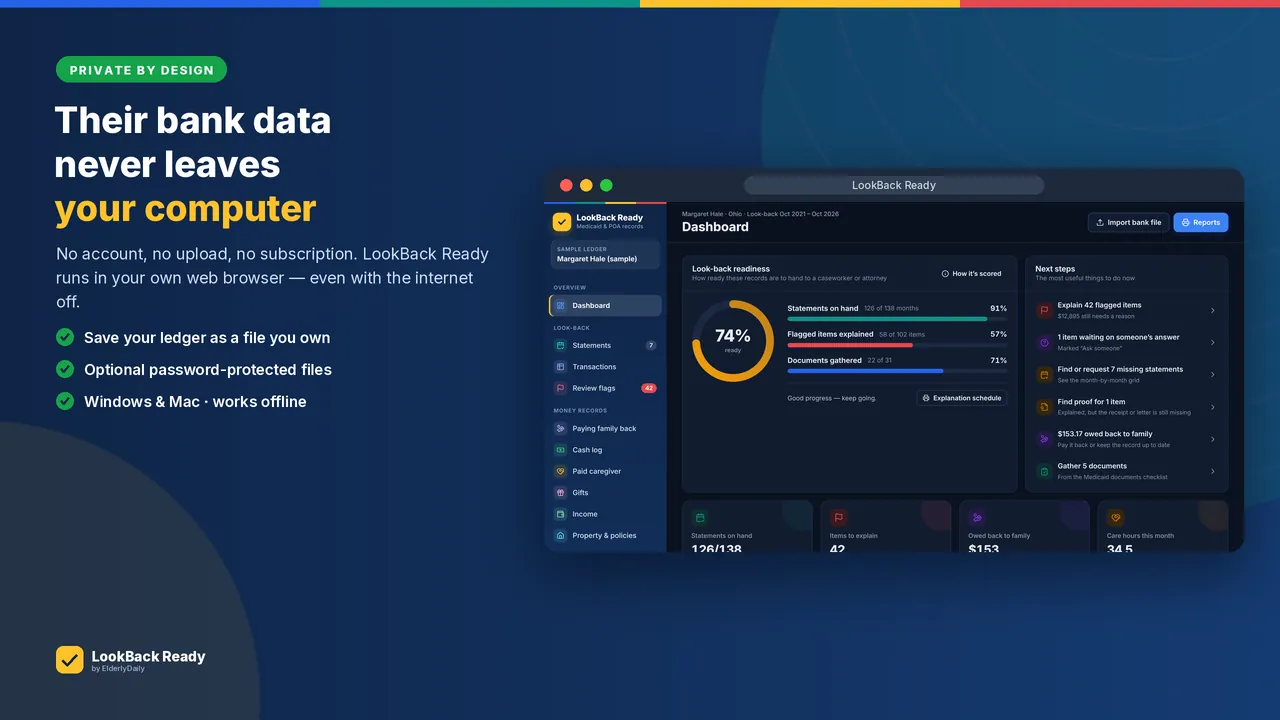
- Private: works offline, data stays on your computer
- Imports CSV, QFX, OFX and QIF bank files
- Flags transactions to explain, with 18 ready-made reasons
- 12 printable reports, plus export to Excel
One-time purchaseInstant downloadDesktop app (Windows & Mac) + guide + forms
Checkout is handled securely by Gumroad.
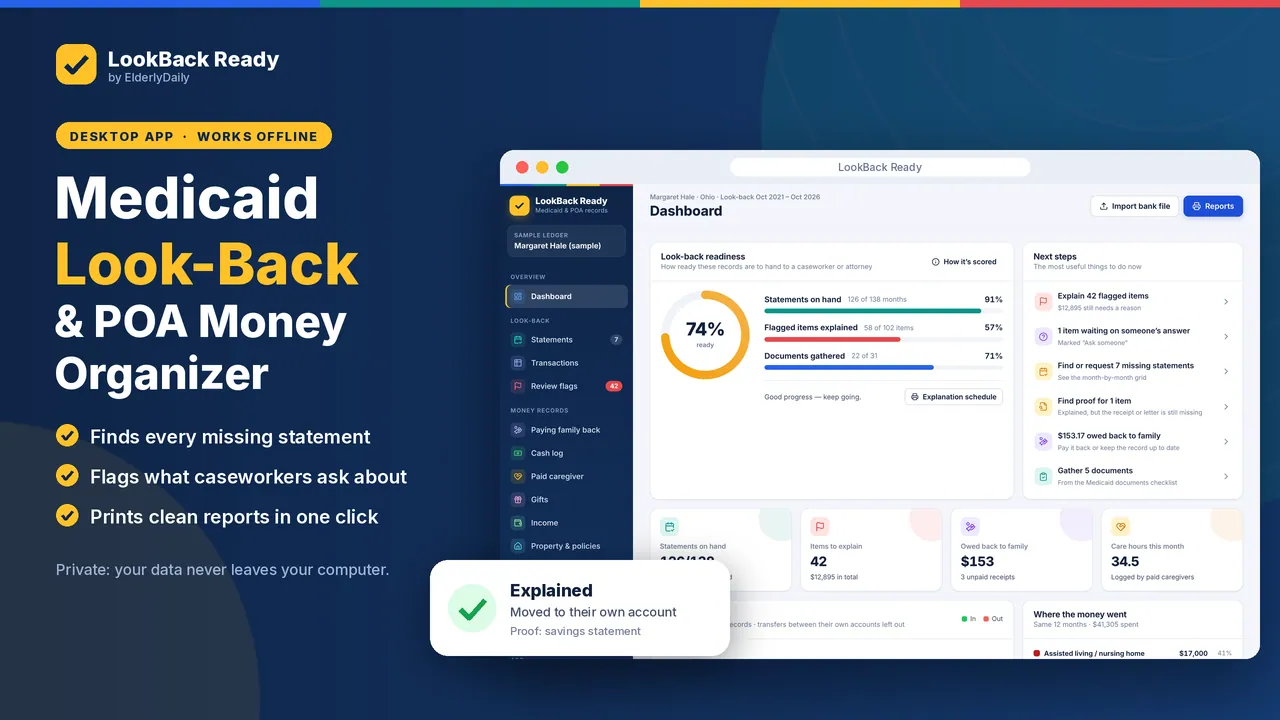
LookBack Ready is a private desktop app for Windows and Mac. Import the bank files from online banking, and it flags large withdrawals, cash, checks, Zelle, Venmo and PayPal transfers, payments to family and large deposits, so you can explain each one, with 18 ready-made reasons to choose from.
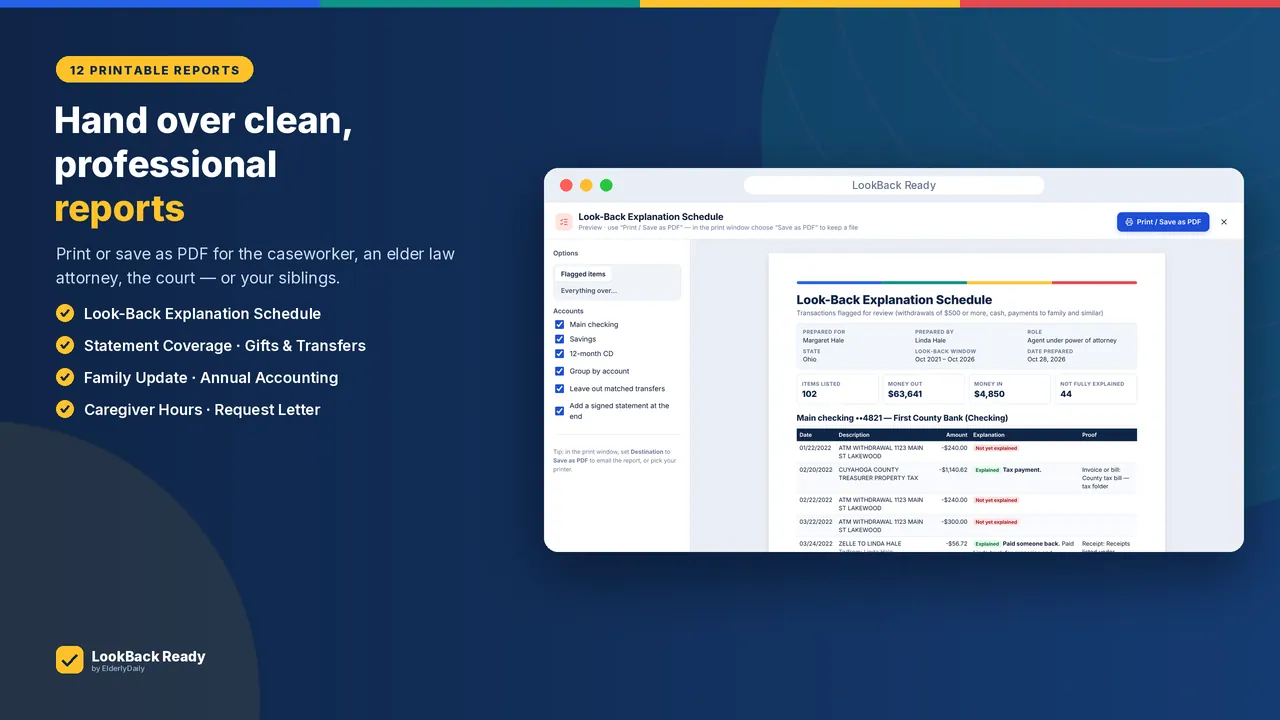
It works offline, so your parent's bank data never leaves your computer. When you are done, print 12 reports, including a Look-Back Explanation Schedule and a Statement Coverage report, or export everything to Excel.
What's inside
Every section, page by page
Statement tracker
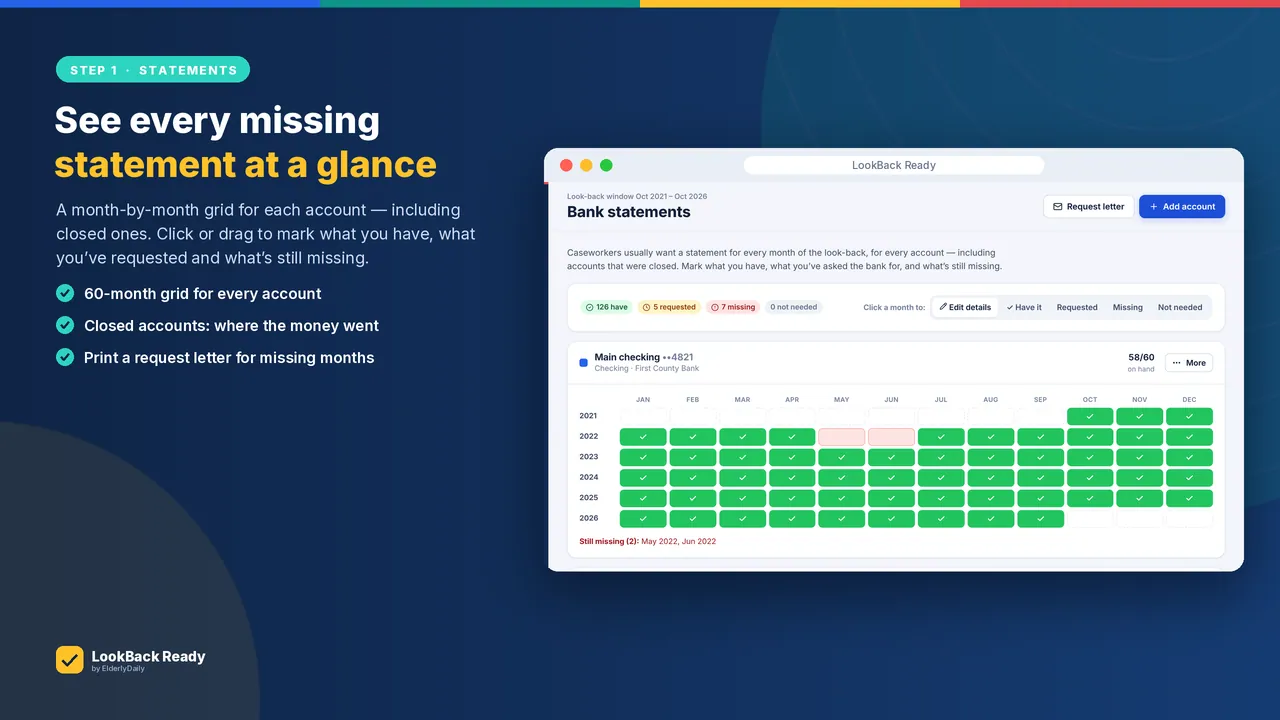
- A month-by-month grid for every account in the look-back window, including closed accounts
- A ready-to-sign request letter for missing months
Bank file import & flags
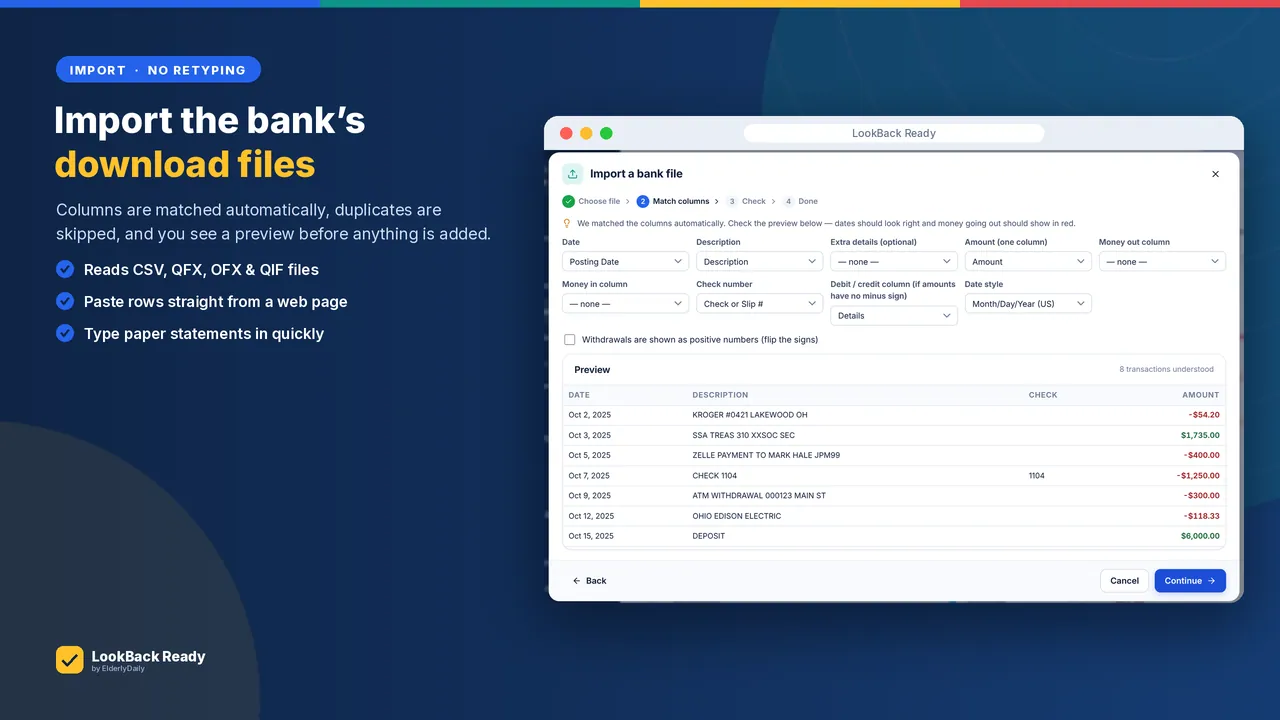
- CSV, QFX, OFX and QIF downloads, with columns matched automatically and duplicates skipped
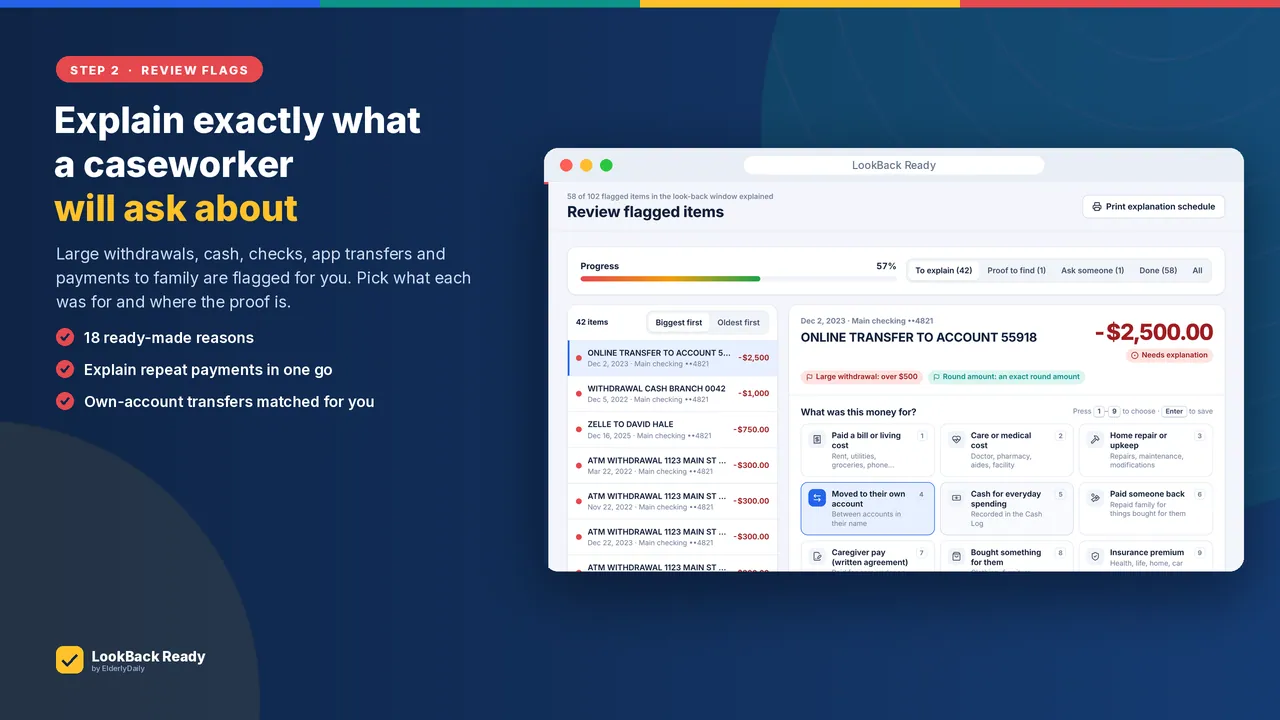
- Flags for large withdrawals, cash, checks, Zelle, Venmo and PayPal transfers, payments to family and large deposits
- 18 ready-made reasons to explain each flag
Power of attorney records
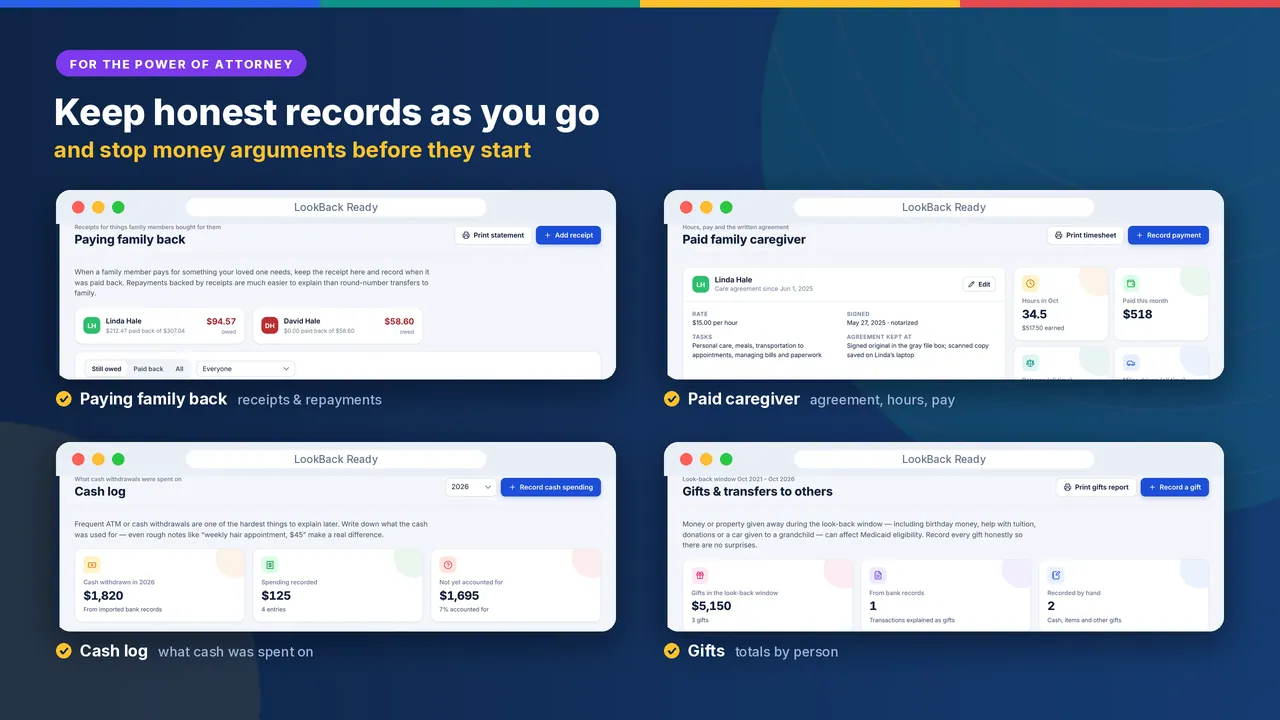
- Paying family back, with receipts
- A cash log
- A paid family caregiver's agreement, hours and pay
- Gifts, property and a decision diary
Reports
- 12 printable reports, including the Look-Back Explanation Schedule, Statement Coverage, Gifts & Transfers, Family Money Update, Annual Accounting and Caregiver Hours & Pay
- Export everything to Excel
In the download
- The LookBack Ready app
- An 11-page illustrated Quick-Start Guide
- 8 fillable paper forms
Preview
A closer look
Images from the product listing.
Watch
See it explained
Who it’s for
- Families preparing a parent's Medicaid application for long-term care
- Agents under a power of attorney who keep records of a parent's money
- Families paying a relative as a caregiver who need clear records
How to use it
- 1Download the bank files (CSV, QFX, OFX or QIF) from online banking.
- 2Open LookBack Ready in Google Chrome or Microsoft Edge and import them.
- 3Fill any gaps in the statement tracker, using the request letter for missing months.
- 4Work through the flagged transactions and explain each one.
- 5Print the reports for the caseworker or elder law attorney.
Instant download
LookBack Ready

Who makes these
Every ElderlyDaily printable is designed by SK Kutubuddin, who founded ElderlyDaily as a family caregiver. Where a page uses official guidance, such as the CDC’s fall-risk questions or the American Heart Association’s blood pressure categories, it names the source. About ElderlyDaily · Editorial policy
Questions
Good to know
Does my parent's data go anywhere?
No. LookBack Ready works offline, and your parent's bank data never leaves your computer.
What do I need to run it?
A Windows or Mac computer and Google Chrome or Microsoft Edge (both free). An 11-page Quick-Start Guide is included.
Which bank files can it import?
CSV, QFX, OFX and QIF downloads from online banking. Columns are matched automatically and duplicates are skipped.
Is this legal or financial advice?
No. It is an organizing tool. Look-back rules differ by state, so confirm with your state Medicaid office or an elder law attorney.
Can I get a refund?
Yes. If LookBack Ready doesn't work for you, email sk@elderlydaily.com within 30 days of purchase for a full refund.
Free on ElderlyDaily
Related guides and tools
More from the shop
You may also need
An organizing tool, not legal or financial advice. Look-back rules differ by state: confirm with your state Medicaid office or an elder law attorney.
