
5 Best AI Smart Glasses & Vision Aids for Seniors
 By Kutubuddin, Founder & Senior Care Researcher Updated October 2026
In this guide

These devices do three different jobs that look alike on a product page: reading text aloud, describing what is in front of you, and magnifying it.
We may earn a commission when you buy through links on this page. Read our affiliate disclosure.
Top 5 Picks — Find Your Situation
#1 · Best Overall
Ray-Ban Meta (Gen 2) smart glassesBest for: Low-vision seniors who use a smartphone and want hands-free reading, scene description and volunteer help in glasses that look ordinary.
#2 · Best for Macular Degeneration
eSight GoBest for: Seniors with macular degeneration or other central vision loss who want magnification for reading, TV and faces, not audio description.
#3 · Best for Offline Reading
OrCam MyEye 3 ProBest for: Seniors who mainly need print read aloud and cannot use a smartphone, and who accept a product line that is no longer being developed.
#4 · Best Dedicated AI Glasses
Ally Solos GlassesBest for: Low-vision seniors who want AI glasses designed specifically for blindness and low vision, and who are comfortable with a phone app and a subscription.
#5 · Best Headset for Reading & TV
IrisVision VistaBest for: Seniors with macular degeneration who want magnification for reading, TV and hobbies while seated.
Our overall pick, Ray-Ban Meta, reads and describes — with free volunteer help through Be My Eyes — but it does not magnify. For someone who needs things made bigger, eSight and IrisVision are the right category.
Two things changed recently: OrCam stopped developing its low-vision devices in 2024, and the Envision Glasses are no longer sold. Both are covered below.
A closer look at our top pick
Ray-Ban Meta (Gen 2) smart glasses
Best for: Low-vision seniors who use a smartphone and want hands-free reading, scene description and volunteer help in glasses that look ordinary.
- Camera, open-ear speakers and voice control
- Meta AI describes surroundings and reads text aloud
- “Detailed responses” setting for longer descriptions (US and Canada)
- Be My Eyes: free hands-free video calls to sighted volunteers
Independently researched · Updated October 2026
Ray-Ban Meta wins this page because it does the two most useful jobs for a low-vision senior — reading and describing — hands-free, in glasses that look like any other pair, for a fraction of what specialist devices cost. Ask it to look, and it describes the scene or reads the text in front of you.
The second reason is human help. Through Be My Eyes, the glasses can call a sighted volunteer who sees through the camera and talks you through the task, free of charge. Since March 2026 you can also call your own trusted contacts and some company support lines the same way.
And unlike the specialist devices on this page, it is a current, actively developed product from a large company, so it keeps improving rather than standing still.
What we love
- Looks like regular glasses
- A fraction of the price of specialist low-vision devices
- Be My Eyes volunteers are free
- Actively developed and supported
- Hands-free once set up
Things to consider
- No magnification
- Needs a smartphone and the Meta AI app
- AI descriptions can be wrong — Meta says not to rely on them for anything safety-critical
- A camera on the face is a privacy concern for some people
Right for you if
- ✓The user already uses a smartphone, or has family who will set it up.
- ✓The goal is reading and knowing what is in front of them, not making things bigger.
- ✓They want something that does not look like assistive equipment.
- ✓Budget matters: specialist low-vision aids cost thousands.
Maybe skip it if
- !The user needs magnification. These glasses describe; they do not enlarge anything. For reading print with remaining vision, watching TV or seeing faces, eSight or IrisVision is the right category.
- !The user cannot manage a smartphone at all. OrCam works with no phone.
- !Safety-critical decisions. AI descriptions can be wrong, and Meta says not to rely on them for anything safety-critical — use a cane, a guide or a human helper for crossing roads and checking medications.
- !Anyone uncomfortable wearing a camera, or living with people who would object to one.
Getting started
- →Set the glasses up with the Meta AI app on the user’s phone, then connect Be My Eyes in the app so a volunteer call is one voice command away.
- →Turn on “detailed responses” in the Meta AI app for fuller scene descriptions.
- →Practise the handful of voice commands together before relying on them, and test them on the things the user actually needs to read.
How it compares
eSight is the closer comparison only if the user still has usable central vision and needs it magnified. Ray-Ban Meta stays ahead for everyday reading and description because it is light, ordinary-looking, actively developed and costs a fraction of the price — but it cannot make anything bigger, and eSight can.
How we picked
We compared 5 options. These vision aids were compared on how reliably they read printed text aloud, recognize faces and objects, real-world battery life, weight and comfort for all-day wear, and the learning curve for a low-vision user. We used product specs, verified owner reviews, and low-vision rehabilitation guidance, not hands-on testing. Capabilities and price differ sharply, so match the device to the task — reading, navigation, or recognition — and trial where possible.
Reviewed by Kutubuddin — who researches senior-care products and the real-world needs of caregivers and older adults.
Other picks, reviewed
eSight Go
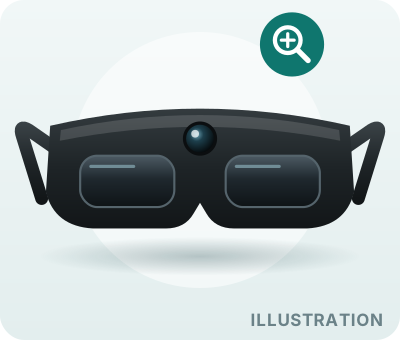
eSight is the pick here built to help someone see more, not hear more. A camera feeds magnified, contrast-enhanced video to screens in front of the eyes, so a person with central vision loss from macular degeneration can make better use of the vision they still have — for reading, watching television or seeing a face. It is one of the most expensive aids on this page, so arrange a trial through a low-vision specialist before buying.
What we like
- Magnifies what you see, not audio only
- The strongest option here for central vision loss
- Helps with TV and faces, not just print
- Backed by Gentex since 2024
Keep in mind
- Very expensive
- A headset you visibly put on
- Best for seated or indoor tasks; check with a low-vision specialist before relying on it for walking
- Needs some usable vision
Key features
- Real-time magnification and contrast enhancement
- Built for central vision loss such as macular degeneration
- For reading, watching TV and seeing faces
- Self-contained headset — no smartphone needed
OrCam MyEye 3 Pro
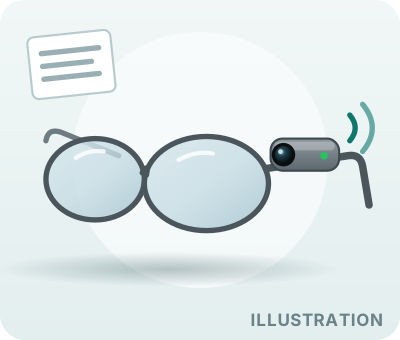
OrCam clips magnetically to the arm of an ordinary pair of glasses and reads text aloud when you point at it or tap it — post, menus, labels — entirely on the device, with no smartphone, Wi-Fi or subscription. That is still unmatched for someone who cannot manage a phone. It moves down this list for one reason: in July 2024 OrCam stopped developing its low-vision devices to focus on hearing products. It is still sold through US distributors and OrCam says it remains committed to existing users, but you are buying a product that will not gain new features.
What we like
- Works with no smartphone at all
- Small and discreet on ordinary glasses
- No subscription
- Nothing leaves the device
Keep in mind
- No new features expected — development stopped in 2024
- High upfront cost
- Reads aloud only; does not magnify
- Commands take practice to remember
Key features
- Note: development halted in July 2024 — still sold and supported through US distributors
- Reads printed text aloud
- Face and product recognition
- Clips to existing glasses
- Works offline — no smartphone or Wi-Fi
Ally Solos Glasses
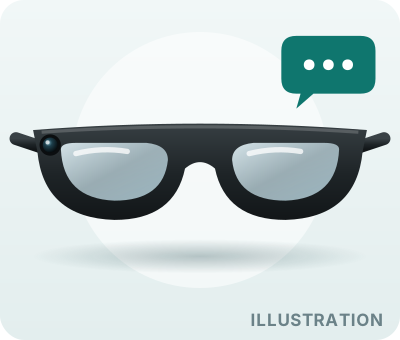
Ally Solos is what Envision — maker of the Envision Glasses many low-vision users relied on — moved to after Google discontinued the Glass hardware those ran on. It pairs Solos frames with Envision’s Ally assistant, which reads text, describes scenes and answers questions, and it was designed for blind and low-vision users from the start. It is new: it began shipping in late 2025, the first year of the Ally Pro subscription is included before it renews, and early users reported app and pairing problems. Worth a look for someone who wants a purpose-built assistant, but buy where returns are easy.
What we like
- Purpose-built for low vision
- From an established assistive-technology maker
- Conversational assistant
Keep in mind
- New — early users reported app slowness and pairing drops
- Ongoing subscription after the first year
- Needs a smartphone app
- No magnification
Key features
- Envision’s Ally assistant: reads text, describes scenes, answers questions
- Designed for blind and low-vision users
- First year of Ally Pro included, then a yearly subscription
- Successor to the discontinued Envision Glasses
IrisVision Vista

IrisVision is a magnifying headset like eSight, aimed at reading, watching television and close-up hobbies from a chair. The current model, Vista, adds AI features to the magnification and contrast enhancement the company is known for. It is a headset you put on for a task rather than glasses you wear all day, so think of it for the armchair, not for walking around. Confirm the current price and setup with the seller, and try it through a low-vision specialist if you can.
What we like
- Magnifies rather than only describing
- Good for seated reading and TV
- Still actively sold and updated
Keep in mind
- A bulky headset — not for walking
- Price is not clearly published; confirm before buying
- Needs some usable vision
Key features
- Magnification and contrast enhancement
- The current Vista model adds AI features
- Suited to reading, TV and close-up hobbies
- Upgrade offered from the older Live 2.0
What to look for
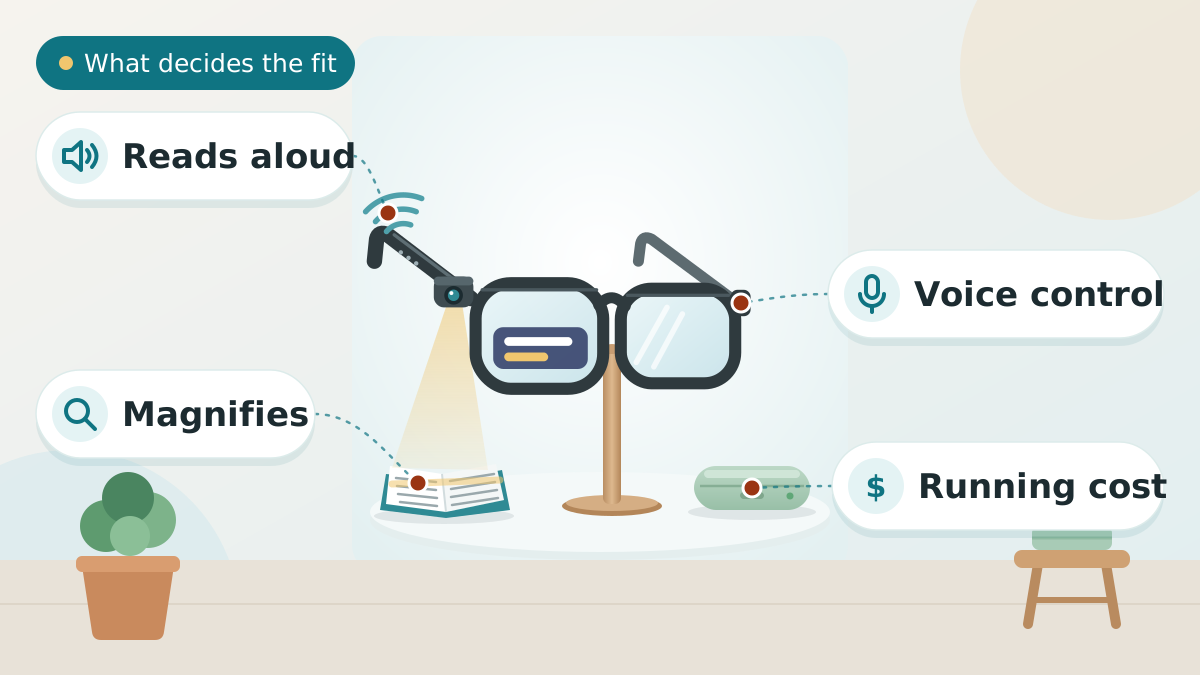
Know what the glasses actually do
Low-vision smart glasses vary widely: some read printed text aloud, some describe a scene or identify faces, and some magnify or enhance contrast. Be clear about the specific task the senior needs help with, because no single pair does everything well.
Comfort, weight, and fit over glasses
These are worn on the face for long stretches, so weight and balance matter, and many seniors need them to fit over prescription lenses. Check the fit, the nose and ear comfort, and whether they feel obvious or stigmatizing to wear out.
Controls a senior can actually use
The best device is the one that is easy to operate: look for simple voice commands or a couple of clear physical buttons rather than fiddly gestures or a complex app. Consider eyesight and dexterity when judging the controls.
Battery life, cost, and limits
Check how long a charge lasts against how long it will be worn, and whether there is an ongoing subscription. Set expectations honestly: these aids assist with specific tasks, they do not restore sight or replace a low-vision assessment.
Read more:Hearing & Vision Support Guide for SeniorsLow Vision Aids for SeniorsHow to Set Up a Phone for Seniors With Low Vision
Add a human helper: Be My Eyes or Aira
Sometimes AI is not enough, and a person who can see is the fastest answer. Two services do this through a phone or smart-glasses camera:
- Be My Eyes connects you to a sighted volunteer by video, free. It works from a smartphone and hands-free from Ray-Ban Meta glasses.
- Aira connects you to trained professional agents. It is a paid service with monthly minute plans, plus short free calls and free use at partner locations such as some stores.
Neither replaces a low-vision assessment, a cane or orientation and mobility training — but for reading a letter, finding the right medicine box or getting through an unfamiliar building, a human helper is often the most reliable aid of all.
Tips to Choose Smart Glasses for Low Vision
Short on time? Here are the key points to weigh before choosing, each covered in detail above:
- Know what the glasses actually do
- Comfort, weight, and fit over glasses
- Controls a senior can actually use
- Battery life, cost, and limits
See an eye doctor or low-vision specialist first: the right aid depends on the specific eye condition, and some vision changes need medical treatment.
Comparing options? See our guides to Best Tablets for Elderly With Poor Vision, Best Video Calling Devices for Elderly, and Best Hearing Aid for Elderly.
Frequently asked questions
Medicare typically does not cover AI smart glasses or low vision aids, as they are considered assistive technology rather than medical devices. However, there are several funding options: State Vocational Rehabilitation programs often cover devices that help seniors maintain employment or independence. Veterans Affairs (VA) benefits may cover devices for veterans with service-connected vision loss. Some private insurance plans cover a portion of the cost with a doctor's prescription. Flexible Spending Accounts (FSA) and Health Savings Accounts (HSA) can be used for these purchases. Many manufacturers offer payment plans to spread the cost over 12-24 months.
It depends on the device. Ray-Ban Meta glasses need a smartphone with the Meta AI app, and their AI descriptions and Be My Eyes calls use the phone’s internet connection. Ally Solos also works through a phone app. OrCam MyEye works entirely offline with no phone at all. eSight Go is a self-contained magnification headset; check IrisVision’s current setup with the seller. For someone who cannot manage a smartphone, OrCam or a magnifying headset is the more realistic route.
The glasses-style picks are. Ray-Ban Meta and Ally Solos are worn like ordinary glasses, and OrCam clips onto a pair you already own. eSight and IrisVision are headsets: heavier, and best for seated tasks such as reading or watching TV rather than all-day wear. For someone with neck pain or arthritis, a glasses-style device is the more comfortable choice.
Only the magnifiers. eSight and IrisVision enlarge the screen and boost contrast, so someone with remaining vision can see faces and read subtitles. Ray-Ban Meta, Ally Solos and OrCam read text aloud and describe what is in front of you, but they do not magnify, so they will not make the TV easier to see.
It lets you call a sighted volunteer hands-free; they see through the glasses’ camera and talk you through the task, and you can switch the call to the phone camera if that is easier. It is free. Since March 2026 you can also call your own trusted contacts and some company support lines this way. Separately, Meta AI can describe what you are looking at; its answers can be wrong, so do not rely on them for safety-critical tasks.
The final verdict
Our overall winner is the Ray-Ban Meta (Gen 2) smart glasses. You can check the current price on Amazon.
Our Top 5 Picks at a Glance
Ready to choose? Here are the top 5 again.
Best Overall
Ray-Ban Meta (Gen 2) smart glasses
Best for Macular Degeneration
eSight Go
Best for Offline Reading
OrCam MyEye 3 Pro
Best Dedicated AI Glasses
Ally Solos Glasses
Best Headset for Reading & TV
IrisVision Vista
Affiliate links — we may earn a commission.
